



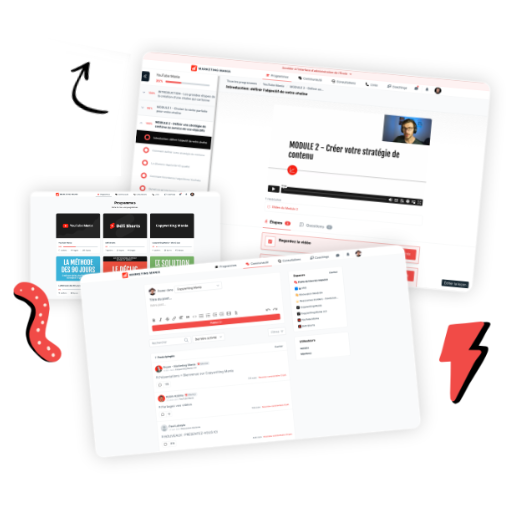


WordPress has become one of the most powerful tools for building and selling online courses. With the right setup, you can create a fully customized learning experience, complete with lessons, quizzes, memberships, communities, and powerful monetization options, all while maintaining full ownership of your content and brand.
Whether you’re building your first online course or migrating from another platform, WordPress gives you unmatched flexibility and control. And in 2026, with improved plugins, better LMS tools, and more integrations than ever, it has never been easier to build a professional, scalable, and beautiful online course website.
In this complete guide, we’ll walk through how to create an online course with WordPress, step by step. By the end, you’ll know exactly which tools to use, how to structure your course, how to manage students, and how to launch a fully functional online learning platform, without needing to write code.
Why Use WordPress to Create an Online Course?
Before jumping into the technical steps, it’s important to understand why so many course creators prefer WordPress over hosted platforms like Teachable, Kajabi, or Thinkific.
1. You Have Full Ownership
With WordPress, you own:
- Your website
- Your course content
- Your member data
- Your payments
- Your branding
There are no limitations or closed ecosystems.
2. Unlimited Customization
You can customize everything:
- Lesson layouts
- Dashboards
- Community spaces
- Branding
- User experience
- Funnels and landing pages
This is perfect for creators who want a unique experience, not a generic, template-based course.
3. More Affordable Long-Term
Hosted course platforms often charge:
- Monthly fees
- Transaction fees
- Student limits
- Feature restrictions
With WordPress, you pay only for:
- Hosting
- Domain
- LMS plugin
- Optional add-ons
This makes it one of the most cost-effective options in the long run.
4. Integrates With Everything
WordPress connects seamlessly with:
- Email systems (Mailchimp, ConvertKit, ActiveCampaign)
- Checkout tools (Stripe, WooCommerce)
- Automation systems
- CRM tools
- Page builders like Elementor, Divi, and Gutenberg
5. Scalable for Any Course Type
You can create:
- Self-paced courses
- Cohort-based programs
- Hybrid courses
- Membership sites
- Coaching programs
- Community spaces
- Multi-instructor academies
WordPress grows with your business.
Step 1: Choose the Right WordPress Hosting
Hosting is the foundation of your course. You need a host that can handle:
- Videos
- Traffic spikes
- Membership access
- Fast loading speeds
Recommended Hosting Providers (2026)
SiteGround
Great speed, excellent support, perfect for beginners.
WP Engine
Premium hosting for serious course creators, fast, safe, and optimized for WordPress.
Kinsta
Cloud-based hosting with powerful performance and security.
Hostinger
Affordable and reliable option for new creators.
What to Look For in a Host
- Fast performance
- Strong security
- Daily backups
- Easy WordPress installation
- Good customer support
Once you choose a host, install WordPress with one click.
Step 2: Install WordPress and Set Up Your Foundation
Most hosting providers offer a simple WordPress installer. After installation:
Basic Setup Steps
- Choose a clean, modern theme
- Install essential plugins
- Update your site settings
- Add your menus and pages
Pages You’ll Need
- Home page
- About page
- Course catalog page
- Login/registration pages
- Dashboard for students
- Sales pages
- Contact page
You’ll build the rest with your LMS plugin.
Step 3: Choose the Best LMS Plugin for WordPress
This is the most important decision. Your LMS controls how your course functions.
Here are the top LMS plugins in 2026:
LearnDash (Most Popular)
LearnDash is one of the strongest and most feature-rich LMS plugins for WordPress.
Best features:
- Drip scheduling
- Quizzes, certificates, assignments
- Course bundles
- Student progress tracking
- Integrates with WooCommerce and Stripe
- Strong community and documentation
Best for: Creators who want power, scalability, and professional-level features.
Tutor LMS (Fast-Growing in 2026)
Tutor LMS offers a user-friendly builder with beautiful layouts.
Features:
- Drag-and-drop course builder
- Quizzes
- Content drip
- Course prerequisites
- Student dashboard
Best for: Creators who want ease of use and modern UI.
LifterLMS
A robust system especially suited for memberships and multi-level programs.
Features:
- Membership tiers
- Coaching add-ons
- Advanced quizzes
- Drip content
- Certificates
Best for: Creators building membership academies or complex course ecosystems.
Sensei LMS (by WooCommerce)
Excellent for WooCommerce users.
Features:
- Simple interface
- WooCommerce integration
- Good for selling multiple course types
Best for: Creators who want everything tied into WooCommerce.
Which LMS Should You Choose?
- LearnDash: Most powerful and scalable
- Tutor LMS: Best design and simplicity
- LifterLMS: Best for memberships and coaching systems
- Sensei: Best if you’re already using WooCommerce
Pick the one that aligns with your course model.
Step 4: Install Your LMS Plugin and Create Your First Course
Once your LMS is installed, the real work begins.
Create Your Course Structure
Every LMS plugin includes a course builder. Start by mapping out:
- Modules
- Lessons
- Topics
- Quizzes
- Assignments
Add Content Types
Your lessons can include:
- Video
- Audio
- Text
- PDFs
- Images
- Links
- Downloads
Keep Lessons Short and Digestible
Aim for:
- 5–15 minutes per lesson
- One core idea per lesson
- Clear action steps
This increases engagement and completion rates.
Step 5: Add Drip Content and Progress Tracking
These features help keep students motivated and ensure a smooth learning path.
Drip Content
Drip content releases lessons gradually, such as:
- Daily
- Weekly
- After completion of previous steps
This is ideal for:
- Cohorts
- Hybrid courses
- Membership programs
Progress Tracking
Let students:
- See their progress
- Check off completed lessons
- Earn badges or certificates
People love seeing progress, it motivates them to continue.
Step 6: Add Quizzes, Assignments, and Certificates
To enhance the learning experience:
Quizzes
Use quizzes to:
- Reinforce learning
- Assess understanding
- Make lessons interactive
Assignments
Great for:
- Writing exercises
- Uploading practice work
- Creative submissions
Certificates
Reward your students with a certificate upon completion. This increases perceived value and provides a satisfying ending.
Step 7: Set Up Payments and Pricing Options
Your LMS plugin will let you sell courses directly from WordPress.
Choose a Payment Processor
- Stripe
- PayPal
- WooCommerce (for advanced setups)
Choose Your Pricing Model
You can offer:
- One-time payments
- Subscriptions
- Payment plans
- Bundles
- Course access passes
Offer Upsells and Downsells
Use WooCommerce or funnel plugins to add:
- Order bumps
- Upsells
- Cross-sells
This dramatically increases revenue per student.
Step 8: Build Your Sales Funnel
A great course needs a great sales funnel.
Use a Page Builder (Recommended)
- Elementor
- Divi
- Gutenberg
- Bricks Builder
Create Key Funnel Pages
- Landing page
- Sales page
- Webinar sign-up page
- Checkout page
- Thank-you page
Add Convincing Elements
- Clear promise
- Course benefits
- Testimonials
- Lesson previews
- FAQs
- Money-back guarantee
A good sales page can double your conversions.
Step 9: Improve Student Experience With a Membership or Community
One of the biggest trends in 2026 is hybrid learning: Courses + community + support.
To add a community to WordPress, use:
BuddyBoss
A full social network inside WordPress.
BuddyPress
Free, but more basic.
bbPress
Forum-style communities.
Paid membership plugins
To restrict content:
- MemberPress
- Paid Memberships Pro
- Restrict Content Pro
Why Add a Community?
- Increases engagement
- Boosts completion rates
- Adds premium value
- Helps students support each other
Communities make your course unforgettable.
Step 10: Add Email Automation
Email is essential for:
- Onboarding
- Engagement
- Course reminders
- Upsells
- Support
Connect to Email Tools
WordPress integrates with:
- MailerLite
- ActiveCampaign
- ConvertKit
- EmailOctopus
- Mailchimp
Automate Key Flows
- Welcome sequence
- New student onboarding
- Lesson reminders
- Progress prompts
- Renewal reminders
This keeps students engaged and reduces drop-off.
Step 11: Protect Your Course Content
Security is crucial when selling premium content.
Protect Videos
Use:
- Vimeo Pro
- BunnyStream
- Wistia
Avoid hosting videos directly on WordPress, they’ll slow down your site.
Protect Pages and Lessons
Your LMS plugin handles this automatically.
Prevent Unauthorized Sharing
Use:
- Login limits
- Access expiration
- Enrollment controls
WordPress gives you complete protection.
Step 12: Test Your Course Before Launch
Before launching, test everything.
What to Check
- Lesson flow
- Login process
- Checkout
- Mobile experience
- Quiz functionality
- Video playback
- Certificate triggers
- Email automation
Run a Beta Program
Invite a small group of testers to go through the course and give feedback. This improves:
- Clarity
- Structure
- User experience
Step 13: Launch Your Course
Now it’s time to release your course to the world!
Launching Strategies
- Live webinar
- Email campaign
- Social media countdown
- Early-bird pricing
- Limited-time bonuses
- Affiliate partners
After Launch
Monitor:
- Sales
- Student activity
- Engagement
- Feedback
Refine as needed.
Step 14: Maintain and Improve Your Course Over Time
Online courses are living products.
Update Content Regularly
Especially if your niche changes fast.
Add New Resources
Such as templates, guides, or bonuses.
Create Alumni Groups
This builds long-term loyalty.
Track Analytics
To improve future versions.
Conclusion
Building an online course with WordPress gives you more control, flexibility, and long-term scalability than almost any other platform. While it takes more setup time than hosted solutions, the payoff is enormous.
With the right tools, a solid LMS, and a clear learning strategy, you can create a beautiful, high-converting online course that delivers real transformation for your students.


